Automatic follow-ups
Customers who didn’t order get reminder emails on the schedule you choose.
The estimating module of a job-shop ERP, used by your internal team works, but it is slow and depends on one person. SeekMake prices uploaded files with your rules in seconds, on your website, and lets customers order and pay online.
ERP estimating modules are built for the office: an estimator enters operations and cycle times for each machined part before a quote exists. That suits planning, but buyers on your website still have to email a STEP file and wait. Putting a quote widget in front of your rates lets simple milled and turned parts be priced at the moment of request, while the ERP keeps running production.
Watch the demo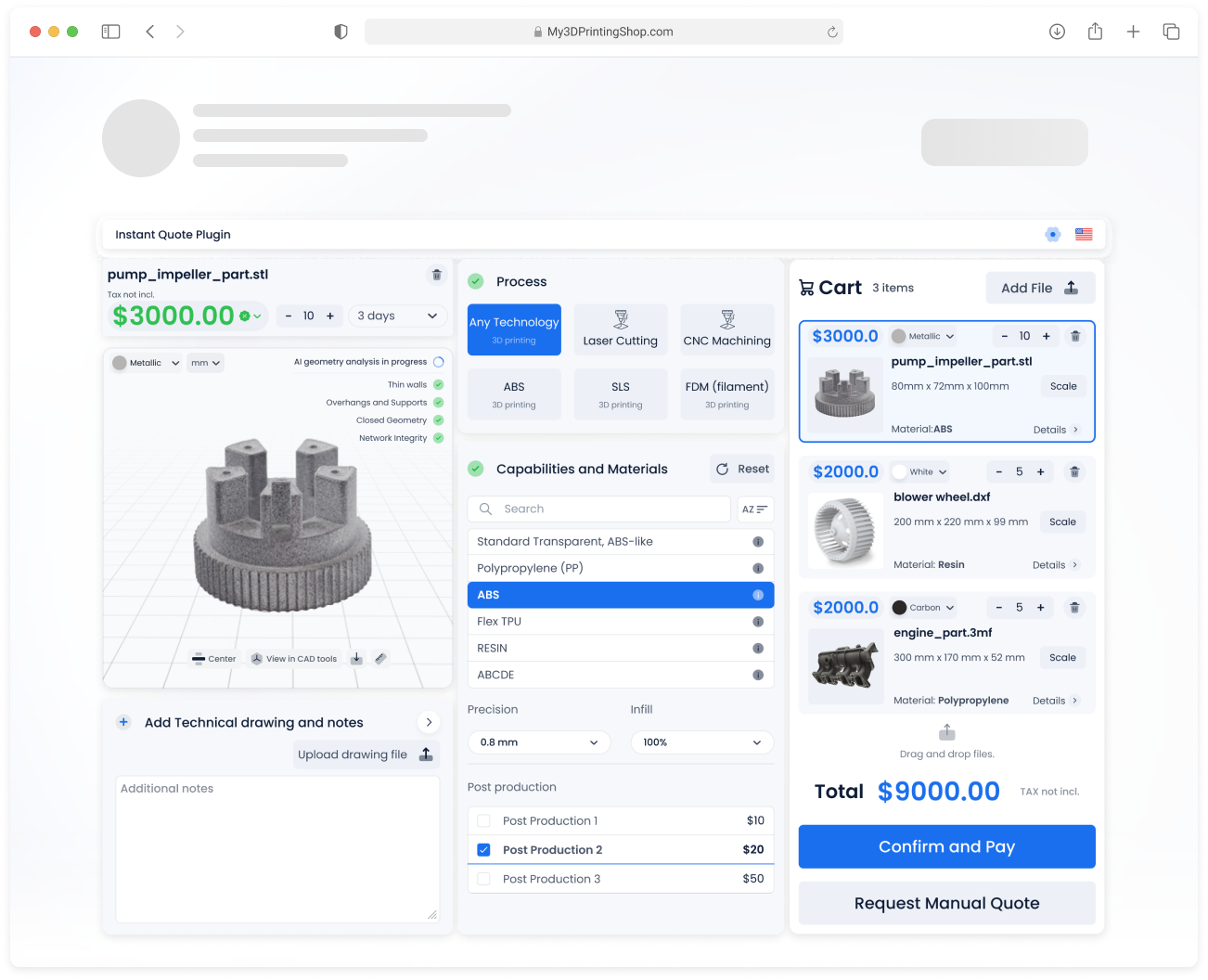
Watch a customer upload files, get prices and check out, then see the order arrive in the shop’s dashboard.

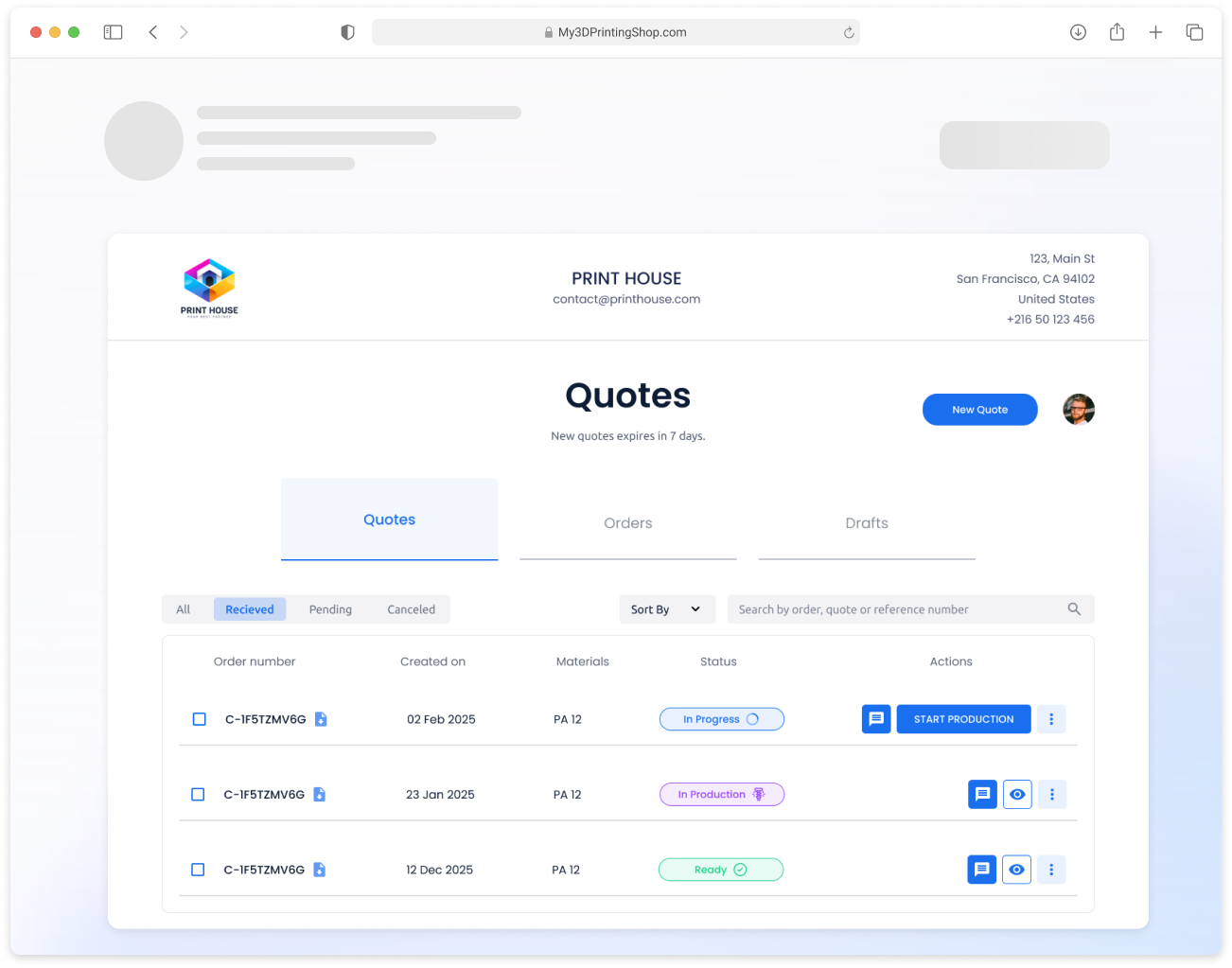
Quotes from your website, from email and from your team land in the same list, with the file, the price breakdown and the customer.
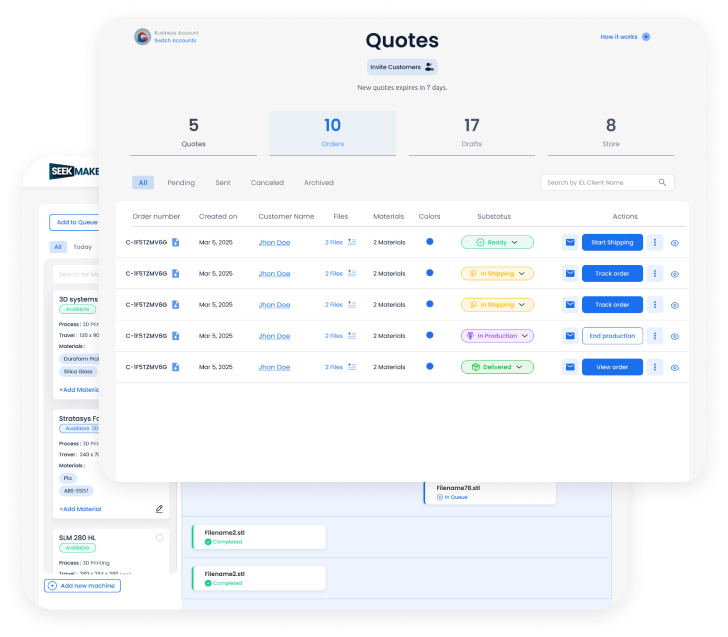
Choose what customers fill in and what they can pick, then style it to match your site. Your customers never see the SeekMake name.
These are the inputs you control. Example values are for illustration only.
Each customer gets a portal on your domain with their quotes, orders, invoices and messages, so they stop emailing you for status updates.
Instant prices bring the requests in. These features turn more of them into paid orders.
Customers who didn’t order get reminder emails on the schedule you choose.
Know when a customer opens a quote, so you follow up at the right moment.
Customers reopen quotes, reorder and track production without emailing you.
Broken meshes are fixed automatically, so fewer quotes stall on a bad file.
Forward an RFQ email and a draft quote is created for you to review.
Offers for new customers, repeat buyers or large orders.
And more: order tracking, analytics, custom emails and online payments.
| Comparison | ERP quoting module | SeekMake |
|---|---|---|
| Who creates the quote | Your internal team | The customer, instantly, or your team |
| Customer-facing quote widget | Check with your ERP vendor | Yes, on your website |
| Online payment | Check with your ERP vendor | Card, PayPal or bank transfer |
| Customer portal | Check with your ERP vendor | Yes, on your domain |
| Can run alongside your ERP | - | Yes |
Assumes about 1 minute to review each automatic quote and 4.33 weeks per month. Change the sliders to match your shop.
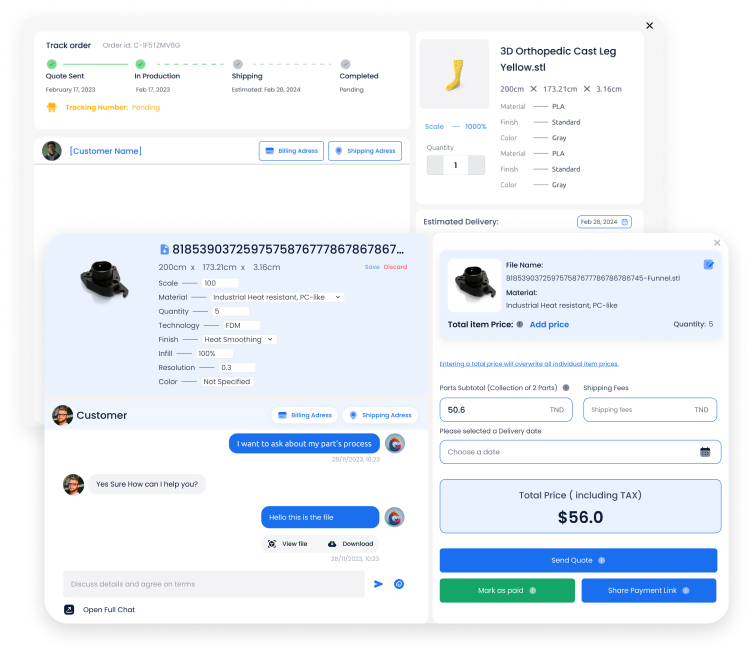
Each order carries its files, price breakdown, delivery date and a thread with the customer.
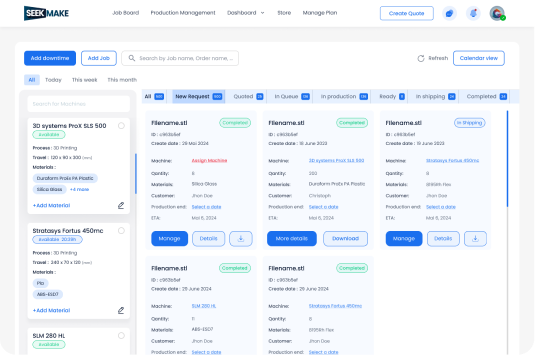
Jobs move from quote to production to shipping, grouped by status and machine.
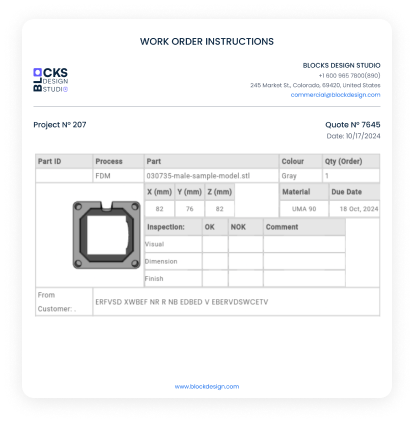
Printable instructions with part, material, quantity and inspection fields.
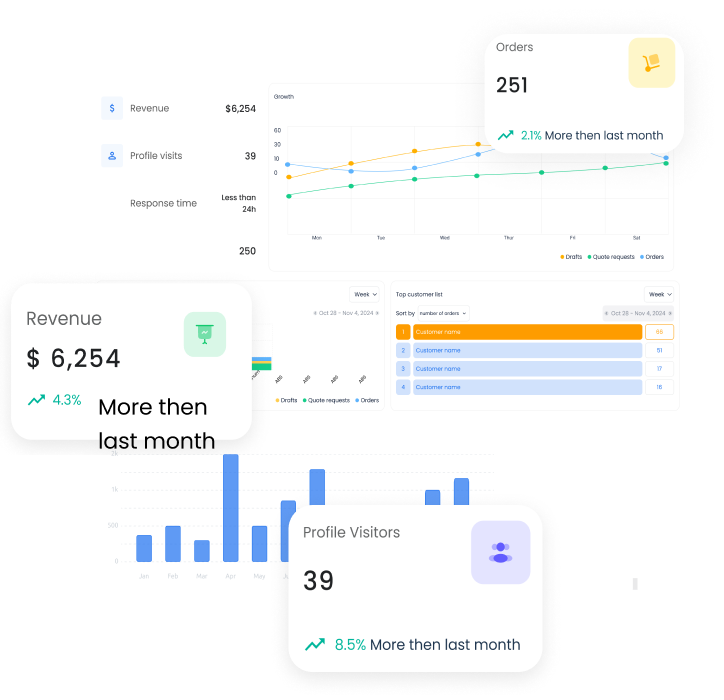
Revenue, orders, quote-to-order rate and visitors in one view.

No. Many shops keep their ERP for planning and accounting and use SeekMake for quoting and online orders.
Yes. Rates, materials and margins live in your SeekMake account, so every quote uses the same rules.
Yes. You can change prices, add lines, apply a discount or add a note before you send the quote.
Orders arrive in the back office with files and price breakdown, and you can print work orders and track each job on a production board by status and machine.
Yes. Parts the rules can't price go to a manual quote request, and your estimator prices them from the dashboard.
STEP and STL files. The part is checked and measured automatically when it is uploaded.
There is a free plan to start. Paid plans add more features, lower fees on online orders and priority support.