Automatic follow-ups
Customers who didn’t order get reminder emails on the schedule you choose.
SeekMake checks every uploaded STEP and STL file automatically: it measures the part, flags features that are hard to make and, for mesh files, repairs common errors. Fewer quotes stall on a bad file.
A milled part can look fine in a viewer and still be a problem on the machine: walls too thin to hold, internal corners sharper than any end mill can reach, or holes deeper than a standard drill. Catching these at upload means the buyer hears about it before you have spent time quoting. Mesh files exported from design tools also tend to carry errors that block an accurate measurement.
Watch the demo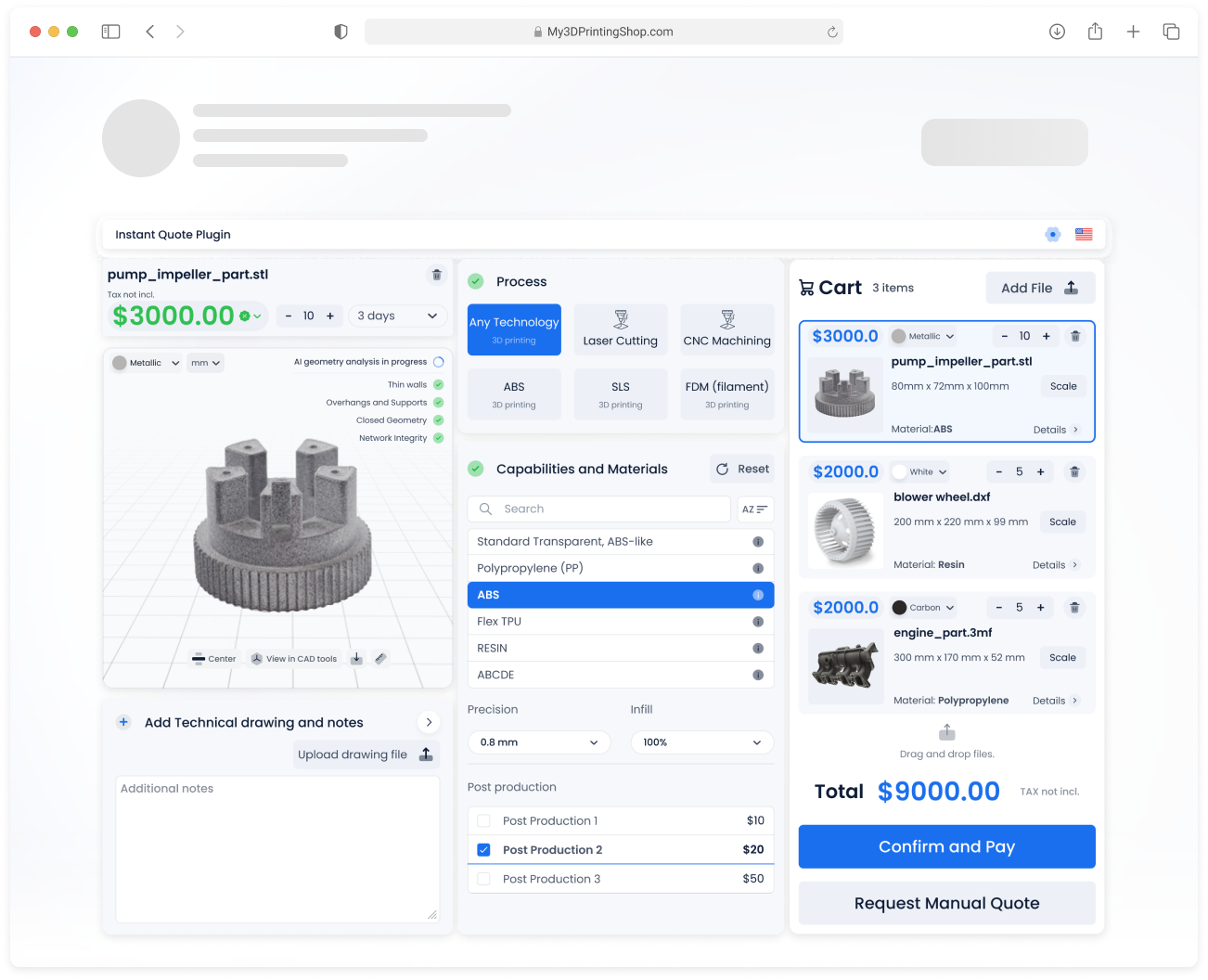
Watch a customer upload files, get prices and check out, then see the order arrive in the shop’s dashboard.

The checks run in seconds, as part of the instant quote.
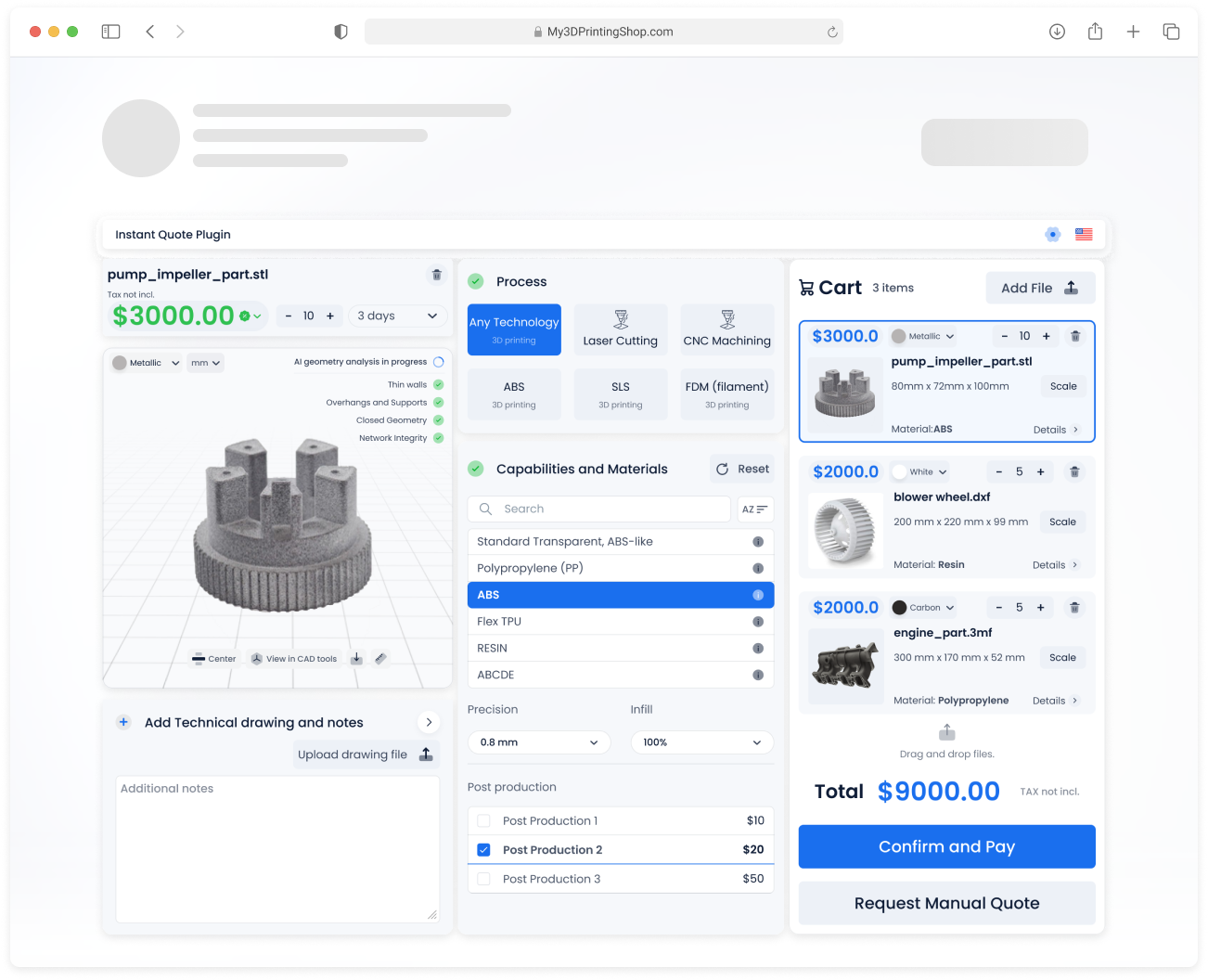
Choose what customers fill in and what they can pick, then style it to match your site. Your customers never see the SeekMake name.
These are the inputs you control. Example values are for illustration only.
Each customer gets a portal on your domain with their quotes, orders, invoices and messages, so they stop emailing you for status updates.
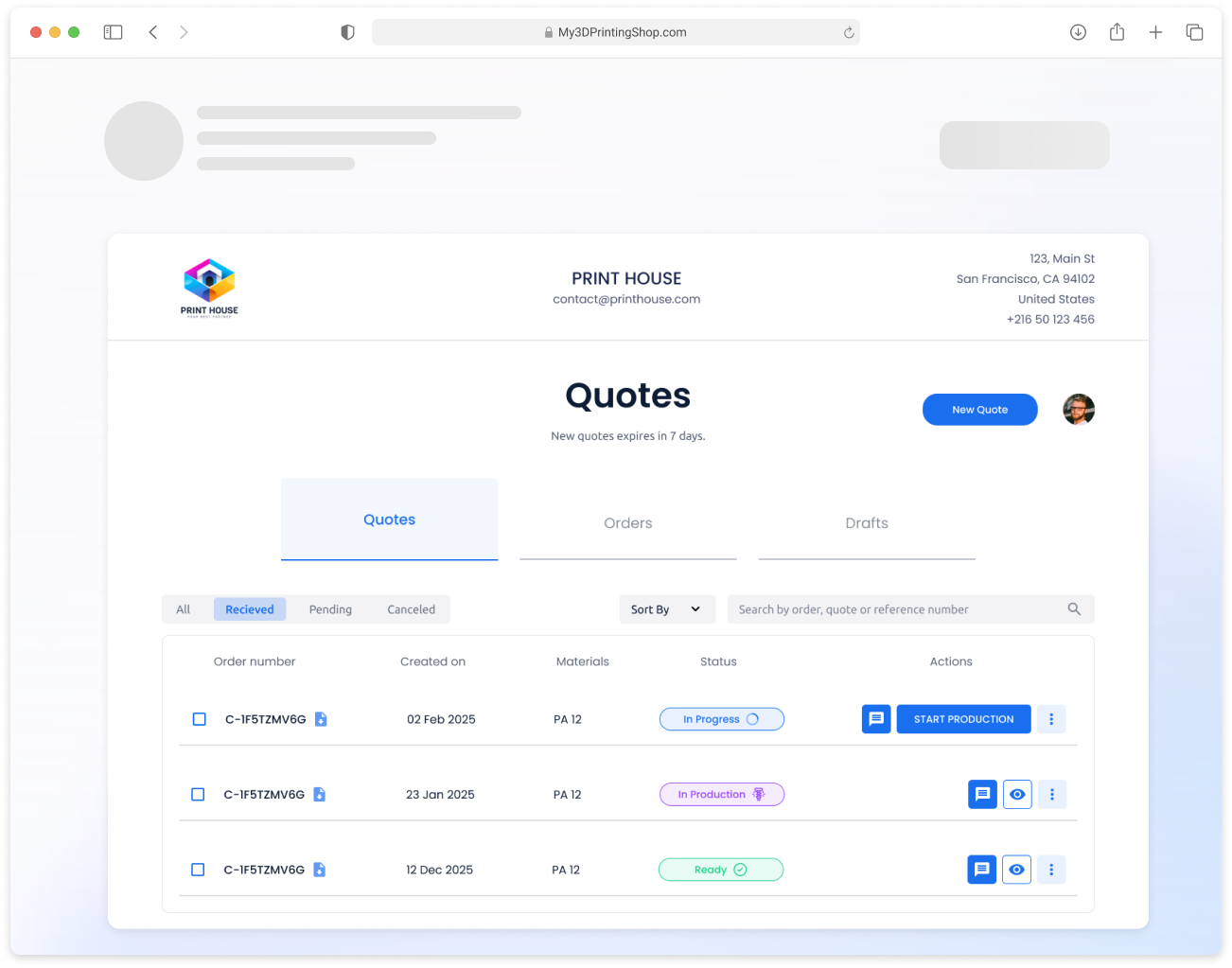
Instant prices bring the requests in. These features turn more of them into paid orders.
Customers who didn’t order get reminder emails on the schedule you choose.
Know when a customer opens a quote, so you follow up at the right moment.
Customers reopen quotes, reorder and track production without emailing you.
Broken meshes are fixed automatically, so fewer quotes stall on a bad file.
Forward an RFQ email and a draft quote is created for you to review.
Offers for new customers, repeat buyers or large orders.
And more: order tracking, analytics, custom emails and online payments.
| Comparison | Manual review | SeekMake |
|---|---|---|
| When files are checked | After the RFQ | On upload |
| Mesh repair | Separate software | Built in |
| Customer feedback | By email | On screen |
| Time per file | Minutes | Seconds |
| Consistency | Depends on the person | Same checks every time |
Assumes about 1 minute to review each automatic quote and 4.33 weeks per month. Change the sliders to match your shop.
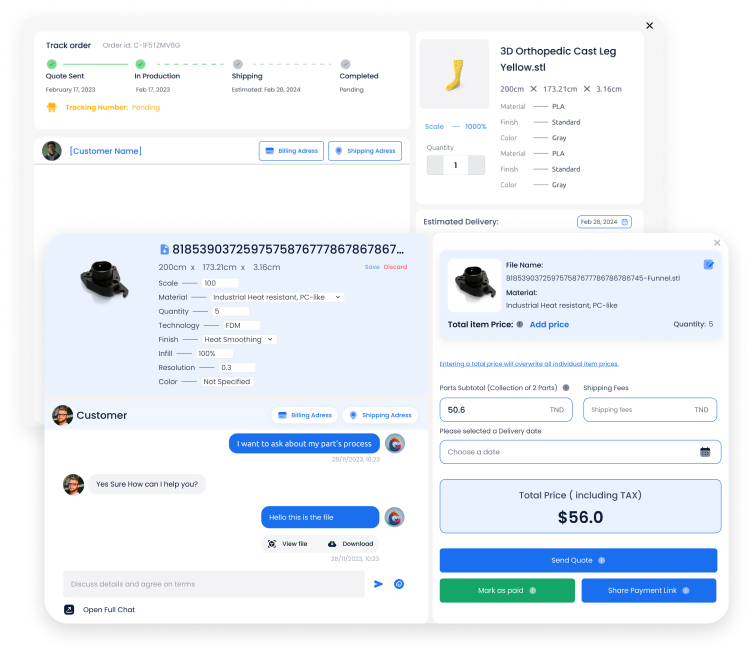
Each order carries its files, price breakdown, delivery date and a thread with the customer.
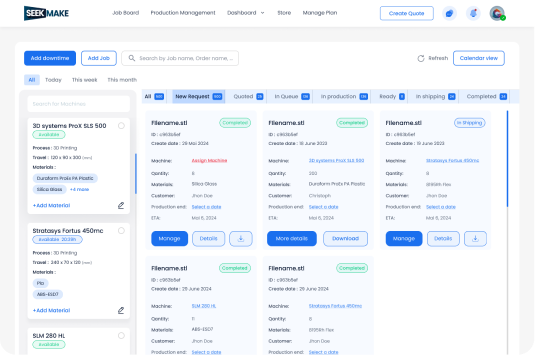
Jobs move from quote to production to shipping, grouped by status and machine.
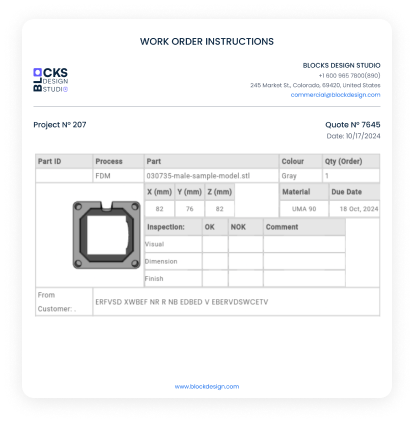
Printable instructions with part, material, quantity and inspection fields.
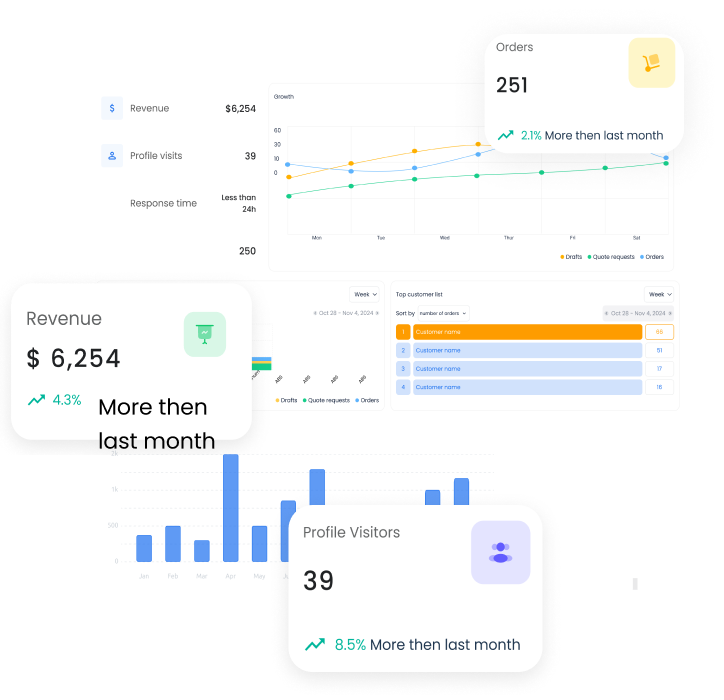
Revenue, orders, quote-to-order rate and visitors in one view.

Inverted normals, bad edges, and overlapping or intersecting triangles.
No. You decide: show a warning, block the price or send the part to a manual quote.
Every STEP and STL file uploaded through your widget.
An STL is a mesh of triangles rather than exact geometry, and exported meshes often have inverted normals or bad edges. SeekMake repairs common mesh errors so the part can be measured, though many machinists still prefer STEP for production.
Yes. The check measures the part on upload, and those dimensions feed your pricing rules. How much stock allowance you add around the part is set in your own rates.
STEP and STL files. The part is checked and measured automatically when it is uploaded.
There is a free plan to start. Paid plans add more features, lower fees on online orders and priority support.