Automatic follow-ups
Customers who didn’t order get reminder emails on the schedule you choose.
Install the SeekMake plugin from the WordPress plugin directory, connect your account and add the quote widget to any page. Customers upload STEP and STL files, choose their options and see a price and lead time right away.
Many CNC shops have a WordPress site with a page per capability: milling, turning, 5-axis work. Those pages bring in buyers but usually end with a phone number. The plugin lets you add a quote widget directly on those pages, so a buyer reading about your turning capacity can upload a part and get a price there.
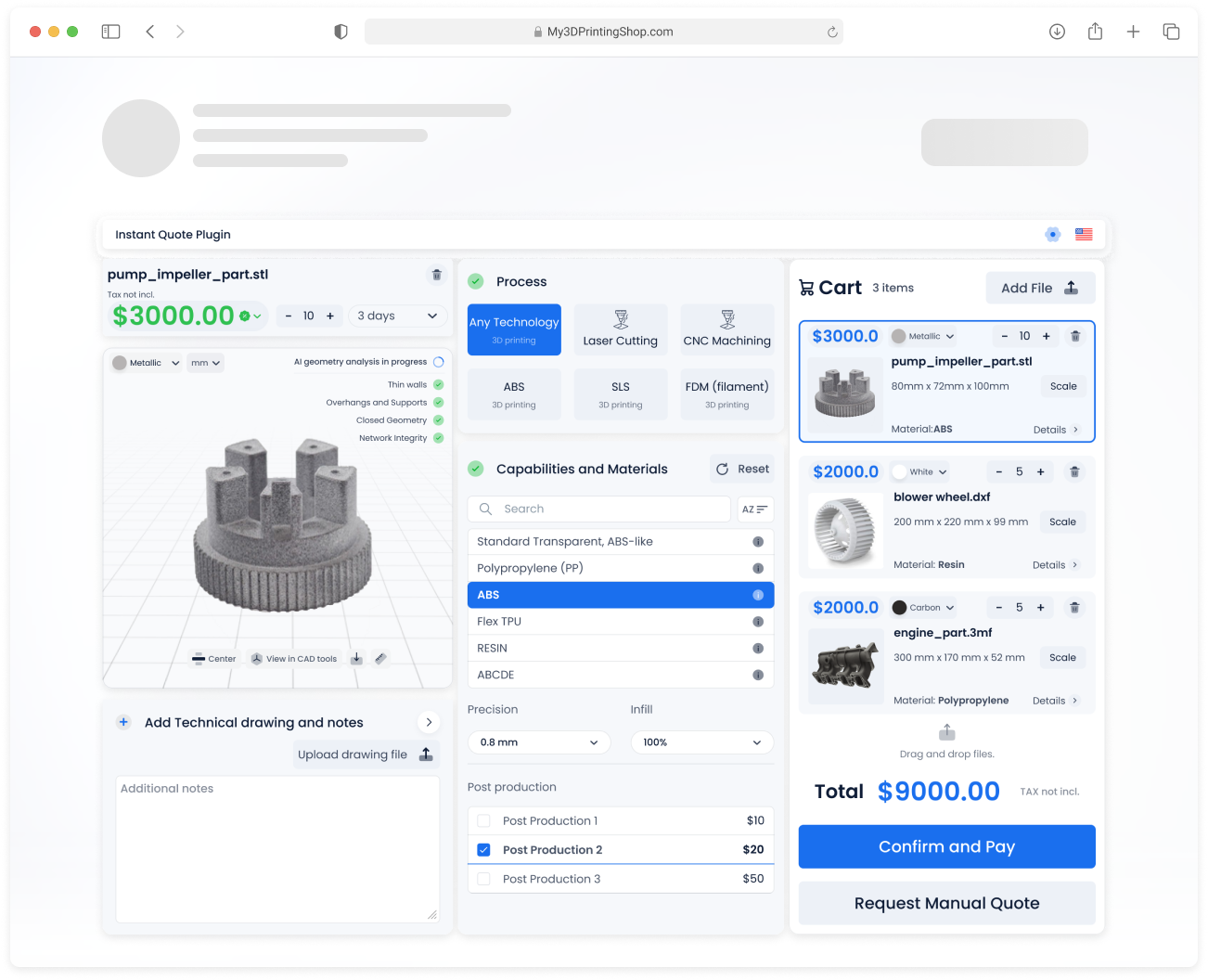
Watch the demo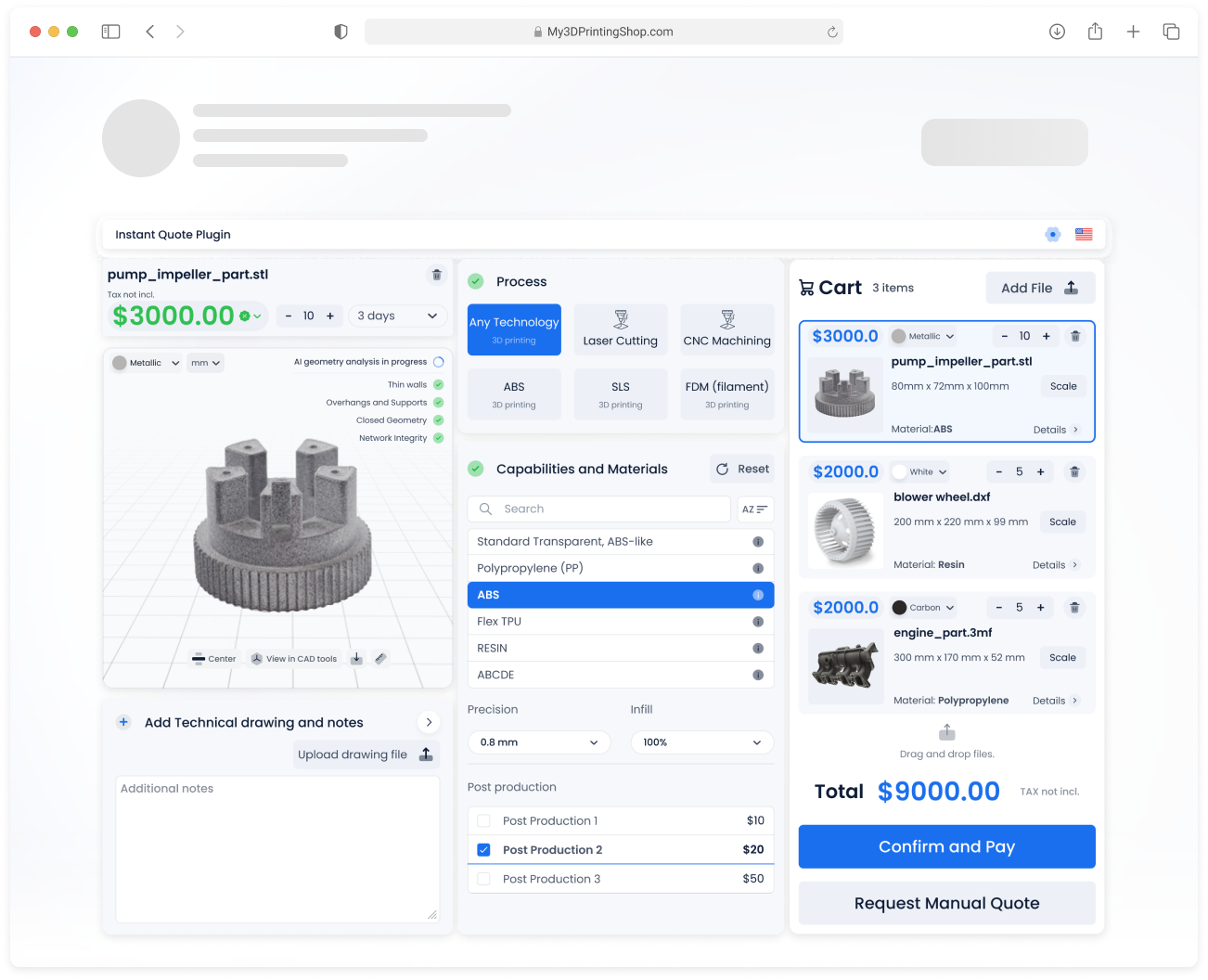
Watch a customer upload files, get prices and check out, then see the order arrive in the shop’s dashboard.

Three steps from a contact form to instant quotes on your WordPress site.
Choose what customers fill in and what they can pick, then style it to match your site. Your customers never see the SeekMake name.
These are the inputs you control. Example values are for illustration only.
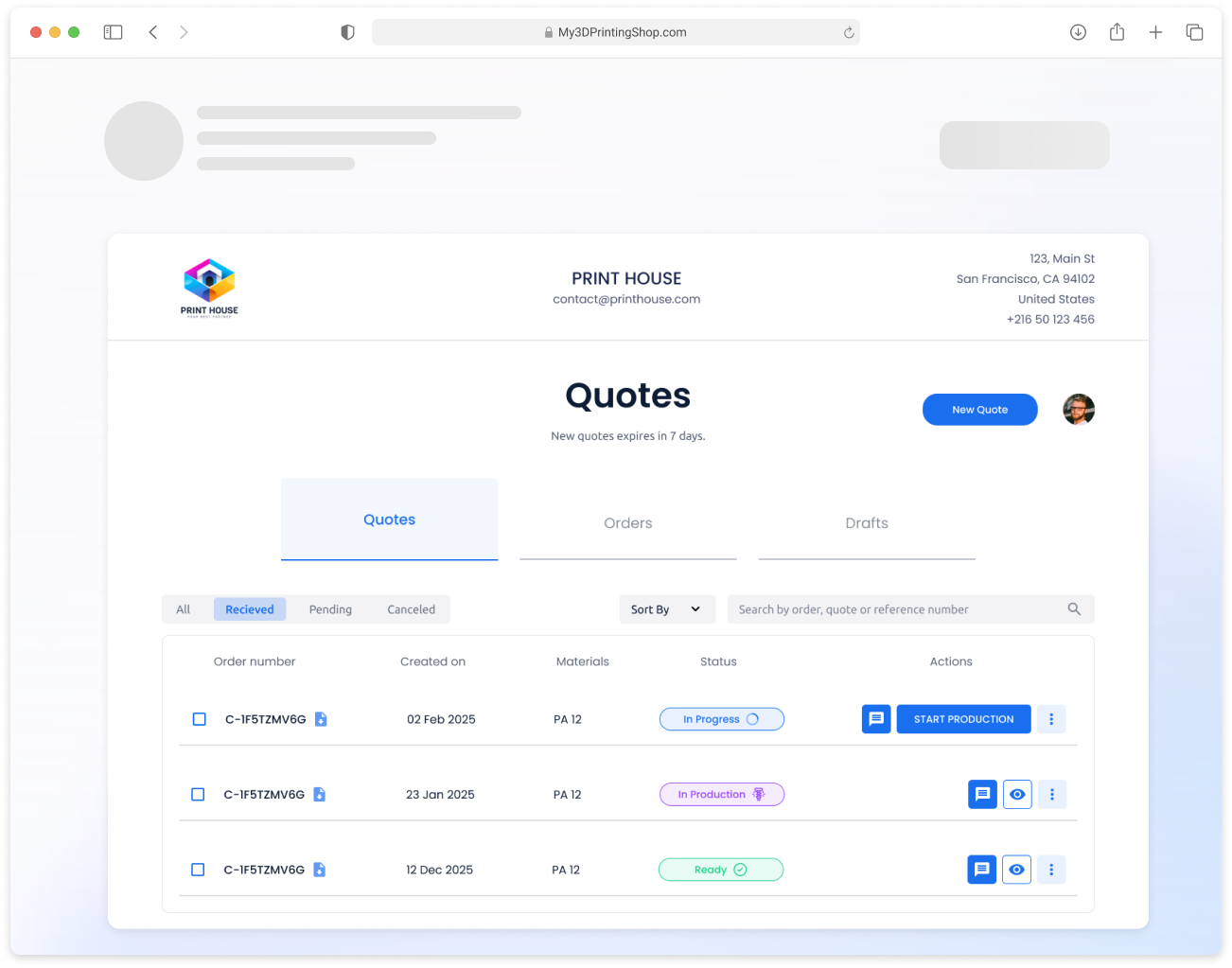
Each customer gets a portal on your domain with their quotes, orders, invoices and messages, so they stop emailing you for status updates.
Instant prices bring the requests in. These features turn more of them into paid orders.
Customers who didn’t order get reminder emails on the schedule you choose.
Know when a customer opens a quote, so you follow up at the right moment.
Customers reopen quotes, reorder and track production without emailing you.
Broken meshes are fixed automatically, so fewer quotes stall on a bad file.
Forward an RFQ email and a draft quote is created for you to review.
Offers for new customers, repeat buyers or large orders.
And more: order tracking, analytics, custom emails and online payments.
| Comparison | Contact form plugin | SeekMake |
|---|---|---|
| Price shown to the customer | No | Instantly |
| File check | No | Automatic |
| Payment | Not possible | Card, PayPal or transfer |
| Order tracking | Email threads | Customer portal |
| Your data entry | Retype every request | None for standard parts |
Assumes about 1 minute to review each automatic quote and 4.33 weeks per month. Change the sliders to match your shop.
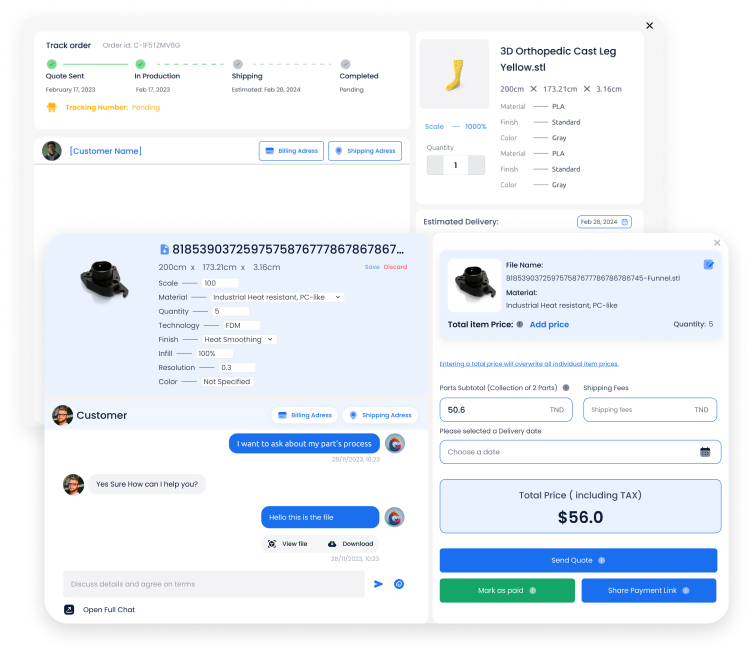
Each order carries its files, price breakdown, delivery date and a thread with the customer.
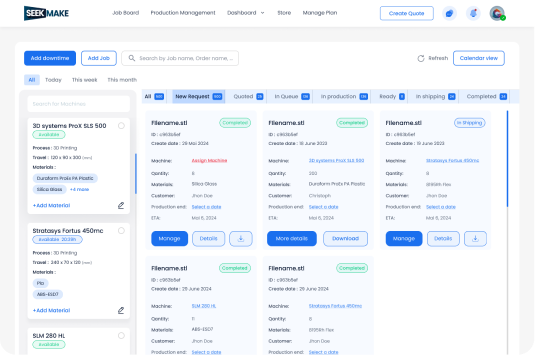
Jobs move from quote to production to shipping, grouped by status and machine.
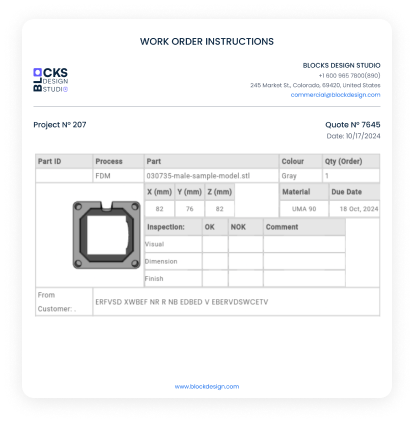
Printable instructions with part, material, quantity and inspection fields.

Revenue, orders, quote-to-order rate and visitors in one view.

Yes. SeekMake works on WordPress sites with or without WooCommerce.
Yes. You set the colours, layout and logo so the widget looks like the rest of your site.
No. You install the plugin and place the widget from the WordPress admin.
Yes. Once the widget is on the page, customers upload a STEP or STL file and see a price and lead time.
The plugin is in the WordPress.org directory, and SeekMake has a free plan to start.
STEP and STL files. The part is checked and measured automatically when it is uploaded.
There is a free plan to start. Paid plans add more features, lower fees on online orders and priority support.