Automatic follow-ups
Customers who didn’t order get reminder emails on the schedule you choose.
With Email to Quote, you forward an RFQ email with its attachments to your quote inbox and SeekMake creates a draft quote for you to review. Your estimator checks the price and sends it instead of building it from scratch.
RFQs for routing work often arrive as an email from a joiner or designer with a zip of DXF files and a line like 18 mm MDF, two of each, sand all edges. Rekeying every part into a spreadsheet takes time and makes it easy to miss a quantity or thickness. Forwarding the email builds a draft quote with the attachments, and your estimator checks material, finish and quantities before it goes out.
Watch the demo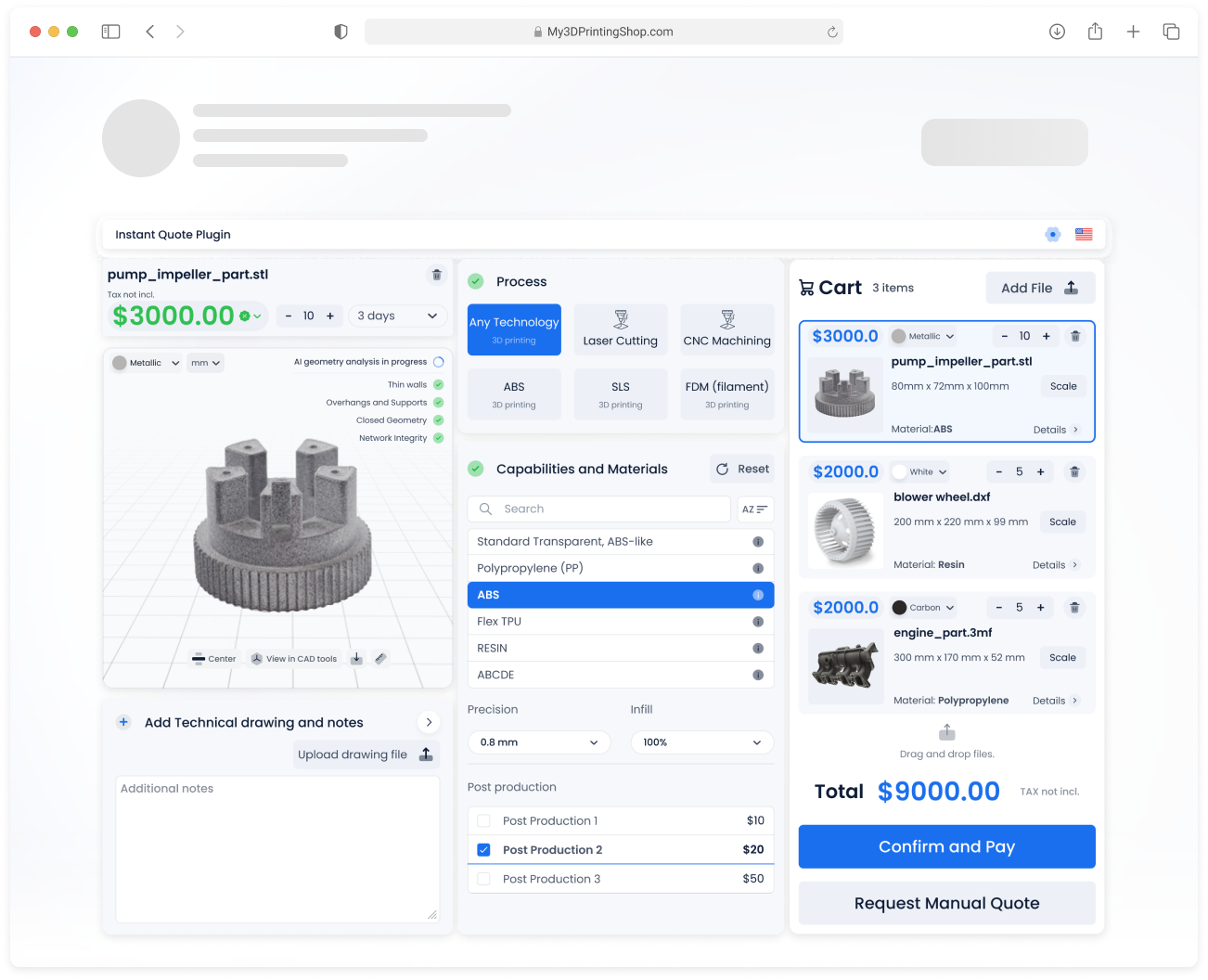
Watch a customer upload files, get prices and check out, then see the order arrive in the shop’s dashboard.
Customers who prefer email keep emailing. Your team stops retyping.
Choose what customers fill in and what they can pick, then style it to match your site. Your customers never see the SeekMake name.
These are the inputs you control. Example values are for illustration only.
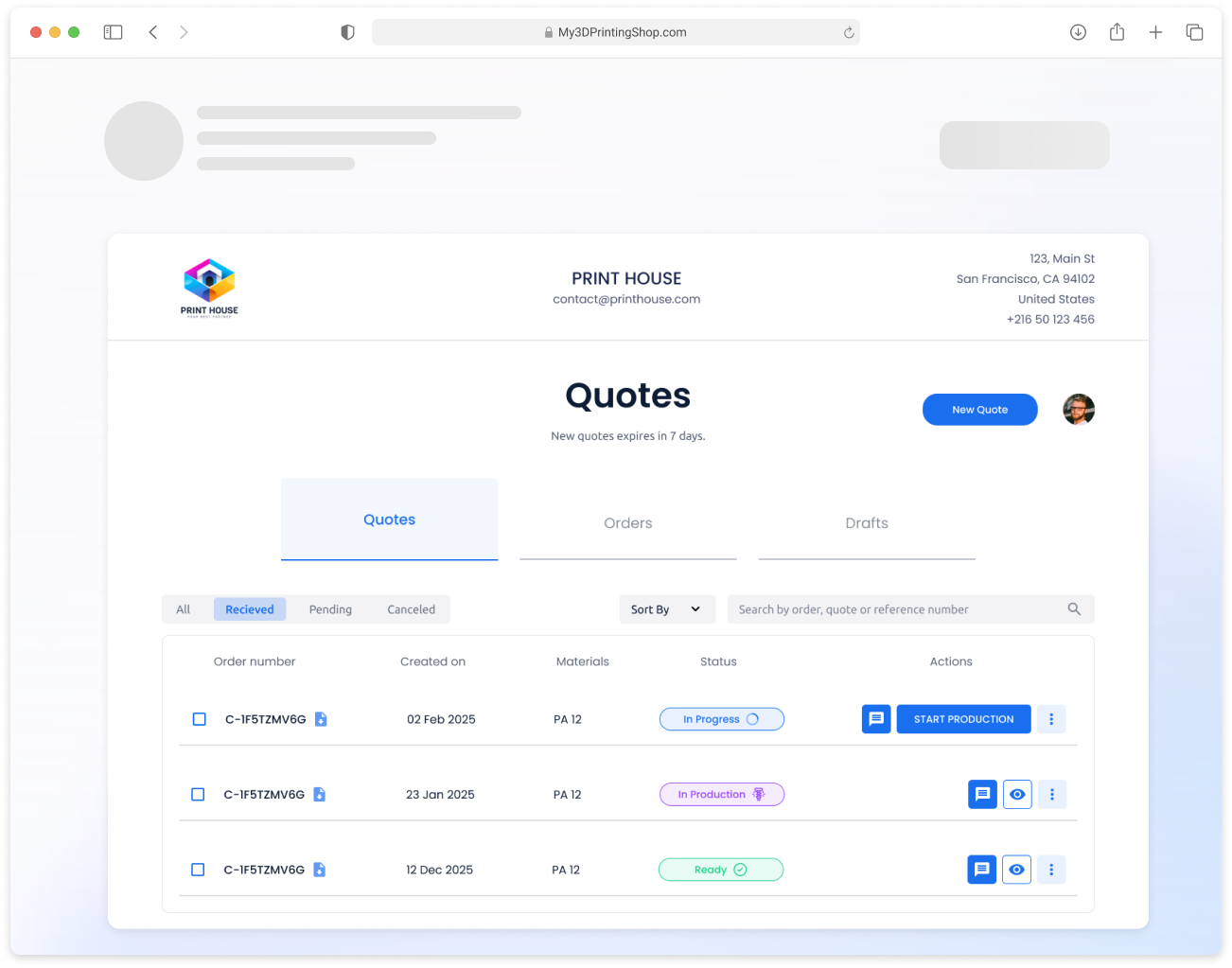
Each customer gets a portal on your domain with their quotes, orders, invoices and messages, so they stop emailing you for status updates.
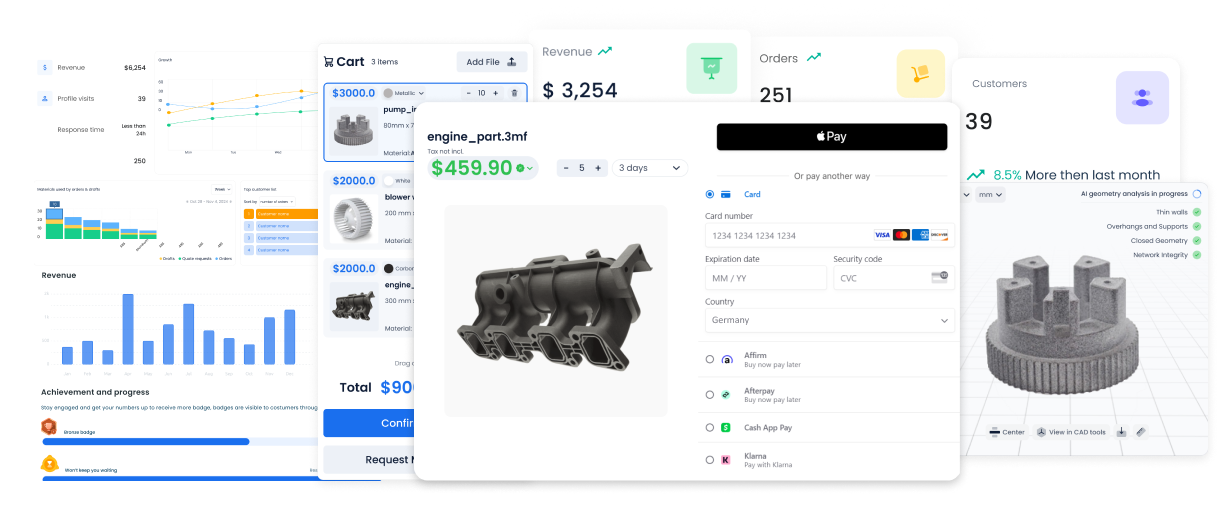
Instant prices bring the requests in. These features turn more of them into paid orders.
Customers who didn’t order get reminder emails on the schedule you choose.
Know when a customer opens a quote, so you follow up at the right moment.
Customers reopen quotes, reorder and track production without emailing you.
Broken meshes are fixed automatically, so fewer quotes stall on a bad file.
Forward an RFQ email and a draft quote is created for you to review.
Offers for new customers, repeat buyers or large orders.
And more: order tracking, analytics, custom emails and online payments.
| Comparison | Manual handling | SeekMake |
|---|---|---|
| Attachments | Downloaded one by one | Read automatically |
| Pricing | Calculated by hand | Your rules applied |
| Quote creation | Typed line by line | Draft created for you |
| Time to respond | Hours or days | Minutes |
| Quote history | In email | Saved in your dashboard |
Assumes about 1 minute to review each automatic quote and 4.33 weeks per month. Change the sliders to match your shop.
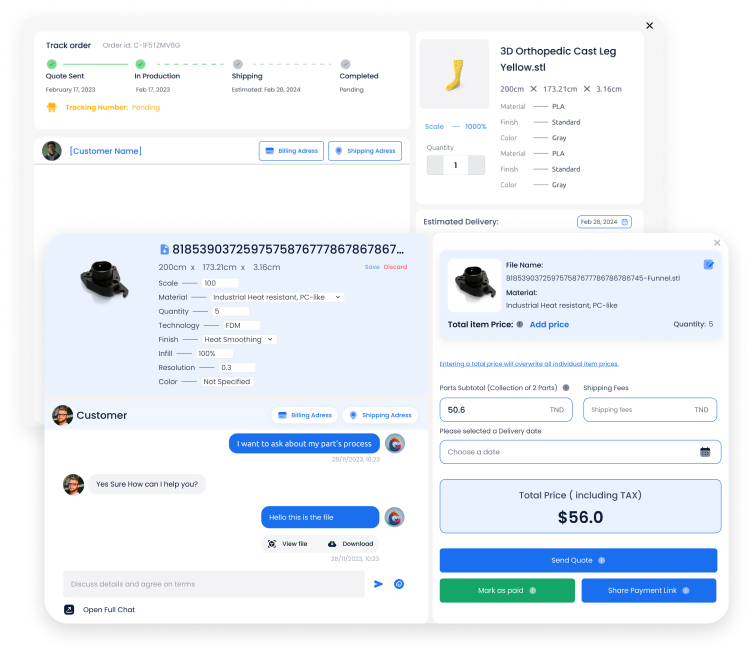
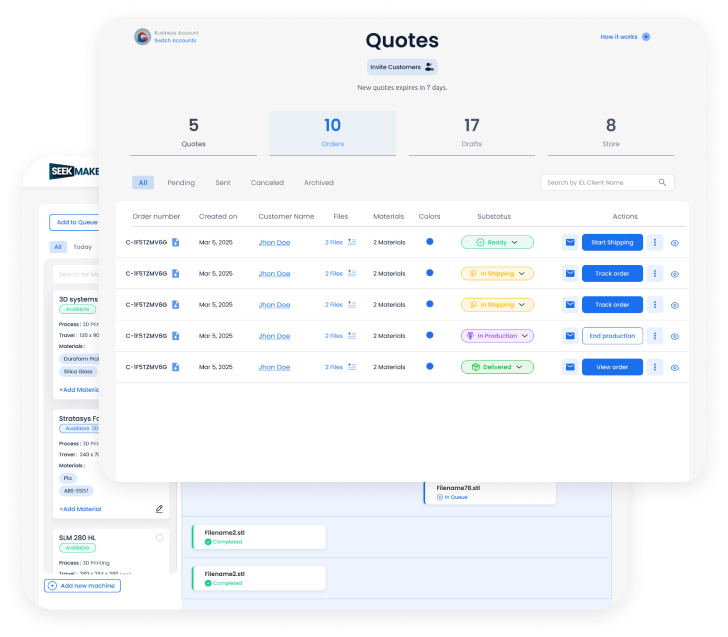
Each order carries its files, price breakdown, delivery date and a thread with the customer.
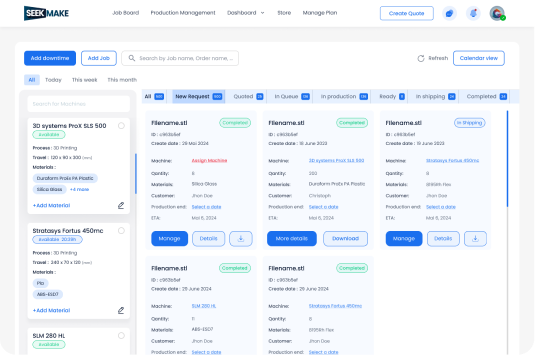
Jobs move from quote to production to shipping, grouped by status and machine.
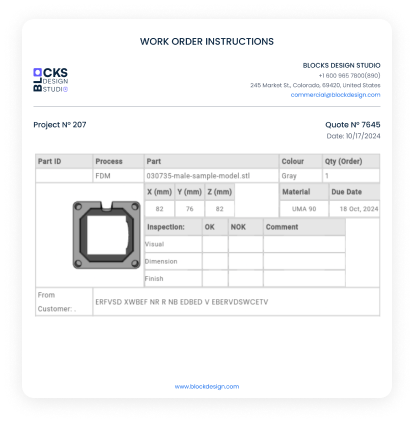
Printable instructions with part, material, quantity and inspection fields.

Revenue, orders, quote-to-order rate and visitors in one view.

No. They keep emailing RFQs. You forward them to your quote inbox.
No. The draft waits in your dashboard so you can check and adjust it before sending.
The same DXF and STEP files your website widget accepts.
The draft is created for review, so your estimator reads the email, sets the right sheet material and thickness and then sends the quote.
Yes. The draft is a quote you can edit, so you can check each panel, add lines or a discount and send it as one document.
DXF and STEP files. The part is checked and measured automatically when it is uploaded.
There is a free plan to start. Paid plans add more features, lower fees on online orders and priority support.